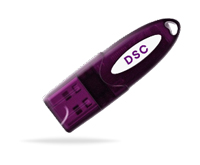
Digital Signature Certificate (DSC) for Income Tax and GST Filing: Types, Cost and How to Apply (2026)
You are halfway through filing your company's income tax return or a GST application on the portal, everything looks complete, and then the system asks you to verify the filing using a Digital Signature Certificate. If you have never set one up before, this is the point where filing stops and a new, slightly confusing errand begins.
A DSC is simpler to get than it looks once you know what you are actually applying for. This guide covers what a DSC is, the only type that actually exists anymore despite what older articles might say, who is legally required to have one, what it costs, and the exact steps to apply and then register it on the income tax and GST portals.
What Is a Digital Signature Certificate and Why It Matters
A Digital Signature Certificate is the electronic equivalent of your physical signature, issued by a government-licensed Certifying Authority and legally recognised under the Information Technology Act, 2000. It confirms that a document or filing genuinely came from you and has not been altered after you signed it.
On government portals like the income tax e-filing site, the GST portal, and the MCA portal, a DSC serves the same legal function that a wet signature serves on a paper document, except it carries additional protection. Once a document is digitally signed, any change made to it afterward invalidates the signature, which is something a physical signature cannot do.
Types of DSC: Why You Will Only See Class 3 Now
If you read an older article about DSC, you may come across references to Class 1 and Class 2 certificates. These no longer exist as separate categories. The Controller of Certifying Authorities merged Class 2 into Class 3 in 2021, and any Class 2 certificate still in circulation from before that change has since expired. As of 2026, Class 3 is the only certificate class issued in India, and it covers every purpose previously split across the old classes, income tax filing, GST returns, MCA and ROC filings, e-tendering, EPFO, and DGFT filings.
Within Class 3, there is one distinction worth knowing before you apply: a signature certificate versus a signature-plus-encryption combo certificate. A signature-only certificate is sufficient for income tax filing, GST returns, and MCA filings, which is what most individuals and businesses need. An encryption certificate is required in addition to the signature certificate only for high-security use cases like e-tendering and e-procurement, where documents need to be encrypted as well as signed. Unless you specifically deal with government tenders, a signature-only Class 3 certificate covers everything in this guide.
Who Must Use DSC for Income Tax and GST Filing
Not every taxpayer is required to have a DSC, and this is worth establishing clearly before you spend money on one you may not need.
Mandatory for: All companies and LLPs filing GST returns or income tax returns. Company directors and designated partners for MCA and ROC filings. Any individual, HUF, or firm whose accounts are subject to a tax audit, regardless of how the rest of their filing would otherwise be verified. Importers and exporters for DGFT filings.
Optional, with alternatives available: Individual taxpayers and proprietors not subject to audit can verify their income tax return using Aadhaar OTP or net banking e-verification instead of a DSC. On the GST portal, individual taxpayers and proprietors can similarly use an Electronic Verification Code, commonly called EVC, in place of a DSC for most filings.
The practical rule of thumb is this: if you operate as a company or LLP, or your accounts require an audit under the Income Tax Act, a DSC is not optional. If you are an individual or proprietor with straightforward filings, you can usually get by without one, though many professionals choose to get one anyway since it speeds up several other compliance tasks beyond just ITR and GST filing.
Documents Required for a DSC Application
The documentation required is minimal compared to most registrations covered on this blog.
- PAN card of the applicant.
- Aadhaar card or another accepted identity proof.
- A recent passport-size photograph.
- A valid email address and mobile number, since video verification and OTP confirmation are both part of the process.
- For an organisation's DSC, the company's incorporation certificate or partnership deed, along with an authorisation letter naming the individual who will hold the certificate on the organisation's behalf.
Cost of a DSC
Pricing varies meaningfully depending on the Certifying Authority you choose, the validity period, and whether you need a physical USB token. As a general guide based on current market pricing across major providers, a signature-only Class 3 certificate typically costs somewhere between Rs 700 and Rs 1,500 for one year, rising for two-year and three-year validity options. A FIPS-certified USB token, required to actually use the certificate on most government portals, typically adds another Rs 500 to Rs 1,000 if you do not already have a compatible token from a previous certificate. Combined signature-plus-encryption certificates needed for e-tendering tend to run higher, often in the range of Rs 2,500 to Rs 5,000 depending on validity and provider.
These figures will vary by provider and by the time you are reading this, so treat them as a planning reference rather than a quote, and confirm current pricing directly before purchasing.
Step-by-Step: How to Apply for a DSC
Step 1: Choose a licensed Certifying Authority.
DSCs in India are issued only by Certifying Authorities licensed by the Controller of Certifying Authorities, commonly known by names like eMudhra, Capricorn, Sify, and a handful of others. Confirm the provider is CCA-licensed before proceeding, since this is what makes the certificate legally valid on government portals.
Step 2: Complete your eKYC.
Submit your PAN, Aadhaar, and photograph through the provider's online application form. Most providers now run this entirely online without requiring physical document submission.
Step 3: Complete video verification.
Since 2021, video verification has been mandatory for all DSC applicants. This is a short video call, often just a few minutes, where you confirm your identity in real time with the Certifying Authority's verification team.
Step 4: Make payment.
Pay the application fee for your chosen validity period and token requirement through the provider's online payment options.
Step 5: Receive your DSC.
Once verification is complete, the certificate is issued. If you opted for a USB token, it is shipped to you, usually arriving within a few days, though some providers now offer faster turnaround. If you chose a cloud-based signing option instead of a physical token, your certificate is activated directly within the provider's platform without anything to receive by courier.
Step 6: Install and test the certificate.
Once your token arrives, install the relevant driver software for your USB token model and confirm the certificate is recognised by your system before attempting to use it on any government portal.
How to Register Your DSC on the Income Tax Portal
Having a DSC is not the same as being able to use it immediately on the income tax e-filing portal. You need to register it first.
Log in to the income tax portal at incometax.gov.in using your PAN. Go to your profile settings and select the option to register your Digital Signature Certificate. You will need to download and install the e-filing portal's signature utility software if you have not already done so, since this is what bridges your USB token to the website during signing. Plug in your USB token, select your certificate from the utility, and complete the registration. Once registered, your DSC will be available as a verification option whenever you file or sign a document on the portal going forward.
How to Register Your DSC on the GST Portal
The process on the GST portal follows a similar pattern. Log in to the GST portal, navigate to your registration details, and find the option to register your Digital Signature Certificate, usually under the authorised signatory section. As with the income tax portal, you will need the GST portal's signer utility installed and your USB token connected. Select your certificate and complete the registration. Companies and LLPs in particular should confirm this step is done correctly before their next GST return is due, since a return that requires DSC verification simply cannot be submitted without it.
Common Mistakes to Avoid
Letting your DSC expire mid-filing season. Validity periods of one to three years sound long until a renewal deadline lands in the exact week you need to file a return. Set a renewal reminder well before expiry rather than discovering the lapse when a filing is rejected.
Buying a certificate without a USB token if you do not already own a compatible one. Some providers sell the certificate alone at a lower price, assuming you already have a valid token, which leads to a confusing second purchase if you did not realise that was the case.
Registering the DSC on one portal and assuming it carries over to another. Income tax, GST, and MCA each require a separate registration step even though the underlying certificate is the same one.
Using an unlicensed or unofficial reseller offering an unusually cheap certificate. Always confirm the issuing Certifying Authority is CCA-licensed, since a certificate from an unauthorised source will not be recognised as valid on government portals regardless of how official it looks.
Frequently Asked Questions
Can one DSC be used for both income tax and GST filing?
Yes. A single Class 3 signature certificate can be used across income tax, GST, and MCA filings. You do need to register it separately on each portal, but you do not need a different certificate for each one.
Do I need a DSC if I am a salaried individual filing my own ITR?
Generally no, unless your accounts are subject to a tax audit for some other reason. Salaried individuals not subject to audit can verify their return using Aadhaar OTP or net banking instead.
What happens if my DSC expires while I am mid-filing?
The filing will not go through. Renew the certificate before the expiry date wherever possible, since renewal after expiry requires going through a fresh application in some cases rather than a simple extension, depending on the Certifying Authority's process.
Can I use the same DSC if I change my company's authorised signatory?
No. A DSC is issued to a specific individual, not to the company itself. If the authorised signatory changes, the new signatory needs their own DSC registered on the relevant portals.
Is a cloud-based DSC as valid as a USB token-based one?
Yes, cloud-based signing options issued by licensed Certifying Authorities carry the same legal validity as a token-based certificate. The difference is purely in how the certificate is stored and accessed, not in its legal standing.
Once your DSC is in hand and registered, it becomes one less thing to think about during filing season rather than an obstacle in the middle of one. If you are setting this up alongside a new TAN registration for a growing business, it is worth doing both at the same time rather than discovering the gap separately a few weeks apart. Computax also offers Digital Signature Certificate services directly, alongside the full CompuOffice suite, so your DSC, TDS, GST, and income tax filing tools can sit with the same provider instead of being scattered across separate vendors.
Disclaimer
This article is for informational purposes only. Compliance requirements, due dates, and regulatory provisions are subject to change based on government notifications. Please verify all deadlines and filing requirements on the relevant official portals before acting.